Network Security Group (NSG)

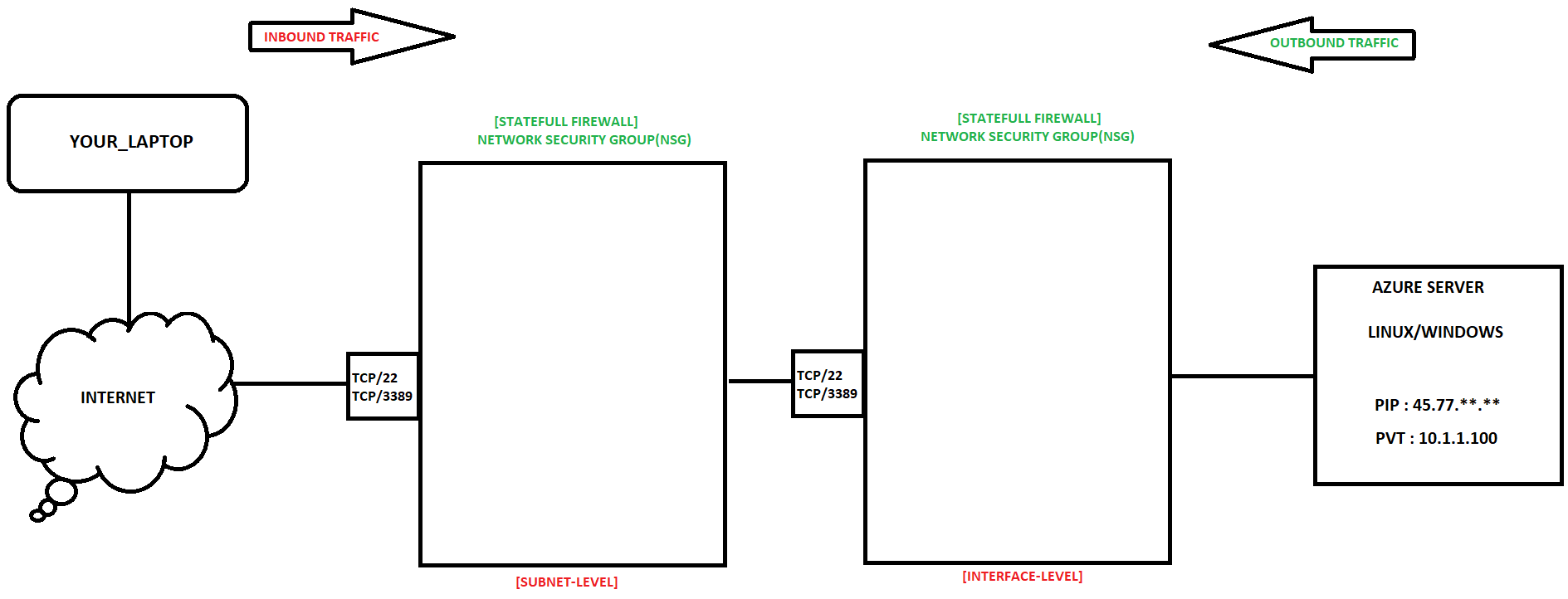
Network Security Group (NSG) NSG can be used to filter network traffic to and from Azure resources in a virtual network. NSG contains security rules that allow or deny network traffic. NSG can be applied to Subnet and Network Interface Card (LAN CARD).
- Name
- Priority
- Source
- Destination
- Protocol
- Port
- Action
Below Diagram shows how we connect to the Azure VM and Which level we can apply NSG.
Below Diagram is the example of 3 Tier Application
WEB-NSG : With WEB-NSG we are allowing the Users from the internet to WEB-SERVER. Ex : Source should be (any) or (particular Ip), Destination should be WEB Server.
Note : With the help of this NSG we can restrict internet users to connect only to the WEB-SERVER.
APP-NSG : Source should be WEB-SERVER and Destination should be APP-SERVER.
Note : Here only WEB-SERVER can able to connect to the APP-SERVER.
DB-NSG : Source Should be APP-SERVER and Destination should be DB-SERVER.
Note : Here only APP-SERVER can able to connect to the DB-SERVER.
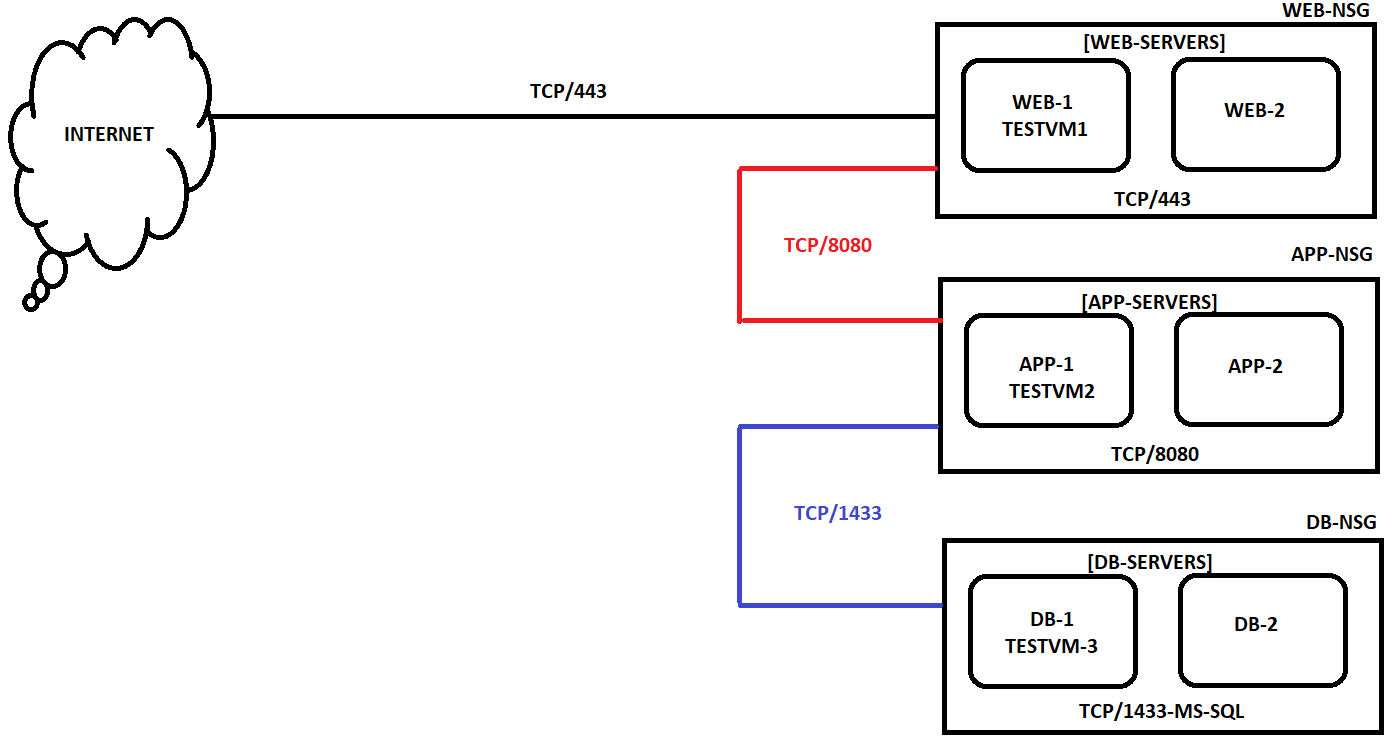
In this way we are applying NSG to Allow/Deny INBOUND and OUTBOUND Traffic and make our environment more secure.


